RAL from Net Salary Calculator — Net to Gross Annual Pay 2026
Calculator
RAL from Net Salary Calculator
Start from the net pay you want on your payslip and find out the RAL (Retribuzione Annua Lorda, gross annual salary) to ask for, with 2026 IRPEF, INPS contributions and the tax wedge cut
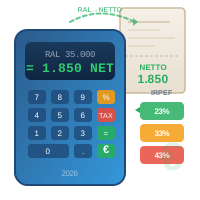
The calculator reverses the payslip calculation of an employee using 2026 parameters: employee INPS contributions of 9.19%, IRPEF brackets of 23% up to 28,000 €, 33% from 28,000 to 50,000 € and 43% above (art. 11 TUIR as amended by L. 199/2025), employment income deductions under art. 13 TUIR and the structural tax wedge reduction measures (L. 207/2024). It is an estimate: the actual payslip depends on the CCNL (national collective agreement), days worked, deductions for dependent family members, bonuses and fringe benefits, which are not considered here. For your specific case, contact a labour consultant or a CAF (tax assistance centre).
More Details
From net pay to RAL: how the reverse calculation works
The RAL (Retribuzione Annua Lorda, gross annual salary) is the figure that appears in contracts, job ads and salary negotiations. But nobody lives on the RAL: you live on the net amount that reaches your account every month. This calculator starts from the monthly net pay you want on your payslip and works back to the RAL needed to get it — the typical job interview question: “to take home 1,800 € net, what gross salary should I ask for?”.
The calculation runs entirely in your browser: no data is sent or stored. The engine is the same as the net salary calculator, but run in reverse — if you already have the RAL and want to know how much you take home, use that one. Here you start from the desired net pay and the program searches, by successive approximations down to the cent, for the lowest RAL that produces it; the result is then recalculated forwards and shown in the “Check” box, so you can verify for yourself that the numbers add up.
The parameters used in the calculation
Going from gross to net takes four steps: social security contributions, gross tax, deductions, tax wedge measures. These are the values applied:
| Item | Value | Reference |
|---|---|---|
| Employee INPS contributions | 9.19% of the RAL | IVS rate of the Fondo pensioni lavoratori dipendenti (employees' pension fund) |
| IRPEF — first bracket | 23% up to 28,000 € | art. 11 TUIR |
| IRPEF — second bracket | 33% from 28,000 to 50,000 € | reduced from 35% to 33% by the 2026 budget law (L. 199/2025) |
| IRPEF — third bracket | 43% above 50,000 € | art. 11 TUIR |
| Employment income deduction | 1,955 € up to 15,000 €, then decreasing to zero at 50,000 € | art. 13, paragraph 1, TUIR (+65 € between 25,000 and 35,000) |
| Exempt amount of the tax wedge cut | 7.1% / 5.3% / 4.8% of income, up to 20,000 € | L. 207/2024, art. 1, paragraphs 4-5 |
| Additional deduction | 1,000 € from 20,000 to 32,000 €, then decreasing up to 40,000 € | L. 207/2024, art. 1, paragraph 6 |
| Trattamento integrativo (supplementary payment) | 1,200 € up to 15,000 € of income, subject to sufficient tax liability | art. 1 D.L. 3/2020 |
The regional and municipal surtaxes are not preloaded: they vary from region to region and from municipality to municipality, often by income bracket. The field is optional: if you know the combined rate enter it, otherwise the calculation returns the RAL without surtaxes, i.e. slightly optimistic.
Calculation example
Three typical cases, with the figures produced by the calculator itself, without local surtaxes:
| Item | 1,500 € net × 13 | 2,000 € net × 14 | 1,200 € net × 13 |
|---|---|---|---|
| Required RAL | 22,766.88 € | 37,959.73 € | 16,866.65 € |
| Monthly gross | 1,751.30 € | 2,711.41 € | 1,297.43 € |
| INPS contributions 9.19% | − 2,092.28 € | − 3,488.50 € | − 1,550.05 € |
| IRPEF taxable income | 20,674.60 € | 34,471.23 € | 15,316.60 € |
| Gross IRPEF | − 4,755.16 € | − 8,575.51 € | − 3,522.82 € |
| Employment income deductions | + 2,580.56 € | + 1,413.18 € | + 3,071.02 € |
| Additional deduction (tax wedge) | + 1,000.00 € | + 691.10 € | — |
| Net IRPEF | − 1,174.60 € | − 6,471.23 € | − 451.80 € |
| Exempt amount (tax wedge) | — | — | + 735.20 € |
| Annual net | 19,500.00 € | 28,000.00 € | 15,600.00 € |
One counterintuitive thing stands out: raising annual net pay from 15,600 to 19,500 € (+3,900 €) requires about 5,900 € more RAL, while going from 19,500 to 28,000 € net (+8,500 €) requires over 15,100. The higher you go, the more each additional net euro costs the employer: higher IRPEF rates kick in and the deductions and tax wedge measures are progressively lost.
When to take the result with a grain of salt
The calculation assumes an employee who works the whole year, with a single employment relationship and no other income. It leaves out items that make a difference on a real payslip: deductions for dependent family members, assegno unico (universal child allowance), performance bonuses, fringe benefits, overtime, meal vouchers, TFR (severance pay) or supplementary pension contributions. The contribution rate can also change: 9.19% is the standard rate, but it rises to 9.49% for those entitled to the cassa integrazione straordinaria (extraordinary wage guarantee fund), and some sectors apply different contributions. The additional 1% employee contribution is not considered either. It applies to the portion of pay above the first pensionable earnings band set each year by INPS (art. 3-ter L. 438/1992). For higher RALs, contributions are therefore underestimated and the calculated RAL is slightly lower than needed.
Also watch out for the legal thresholds: around 15,000 and 20,000 € of income, net pay makes small jumps, because that is where the exempt amount, the trattamento integrativo and the deductions are triggered or lost. For some very low net amounts there is no RAL that produces them exactly: in those cases the calculator shows the lowest RAL that guarantees at least the requested net pay, and flags it. It is an informative estimate, not a payslip: to check your payslip, the reference remains a labour consultant, a CAF or a patronato (workers' assistance office).
Frequently asked questions
How do you calculate the RAL from the net salary?
There is no direct formula: the RAL is found by numerically reversing the gross-to-net calculation. You multiply the monthly net pay by the number of monthly payments to get the annual net, then look for the RAL that, after deducting INPS contributions of 9.19%, IRPEF net of deductions and the surtaxes, returns exactly that net amount. The calculator runs this search down to the cent and shows the check of the result.
What RAL do you need to get 1,500 euros net per month?
With 13 monthly payments, no dependent family members and no local surtaxes, you need about 22,767 € of RAL: that is 1,751 € gross per month, from which 2,092 € of INPS contributions and 1,175 € of net IRPEF per year are deducted. With the regional and municipal surtaxes of your municipality, the required RAL rises by a few hundred euros.
Does the RAL include the 13th and 14th month pay?
Yes. The RAL is the gross total for the year and includes all the additional monthly payments provided for by the contract. That is why the number of monthly payments does not change the taxes due — which are calculated on the annual total — but only how the gross is distributed: with the same RAL, someone with 14 monthly payments receives lower monthly amounts but collects two extra payslips.
Why is the calculated RAL different from the one in my contract?
Because the actual payslip depends on elements this tool does not know: dependent family members, your municipality's surtaxes, bonuses, fringe benefits, overtime, supplementary pension contributions, days not worked. The calculator uses the general 2026 parameters for a full-time employee working the whole year: it helps you find your bearings in a negotiation, not replicate the payslip to the cent.
Related tools: the net salary calculator for the reverse path (from RAL to net), the TFR calculator for the severance pay that accrues each year on the same salary, and the guide to financial calculators.
The 13th month pay also accrues from the same RAL: the 13th month pay calculator works it out, net of INPS and IRPEF.